Fitted Wardrobe Planner
Your alcove.
Your materials.
A clearer plan.
Turn five measurements into a fitted wardrobe concept. Explore the construction, choose finishes and share a preliminary cutting schedule.
Preparing for Google Play · One-time paid download
Not yet available to download. Final price and release date will appear here when confirmed.
01 / Measure & plan
Start with the opening.
Keep the details together.
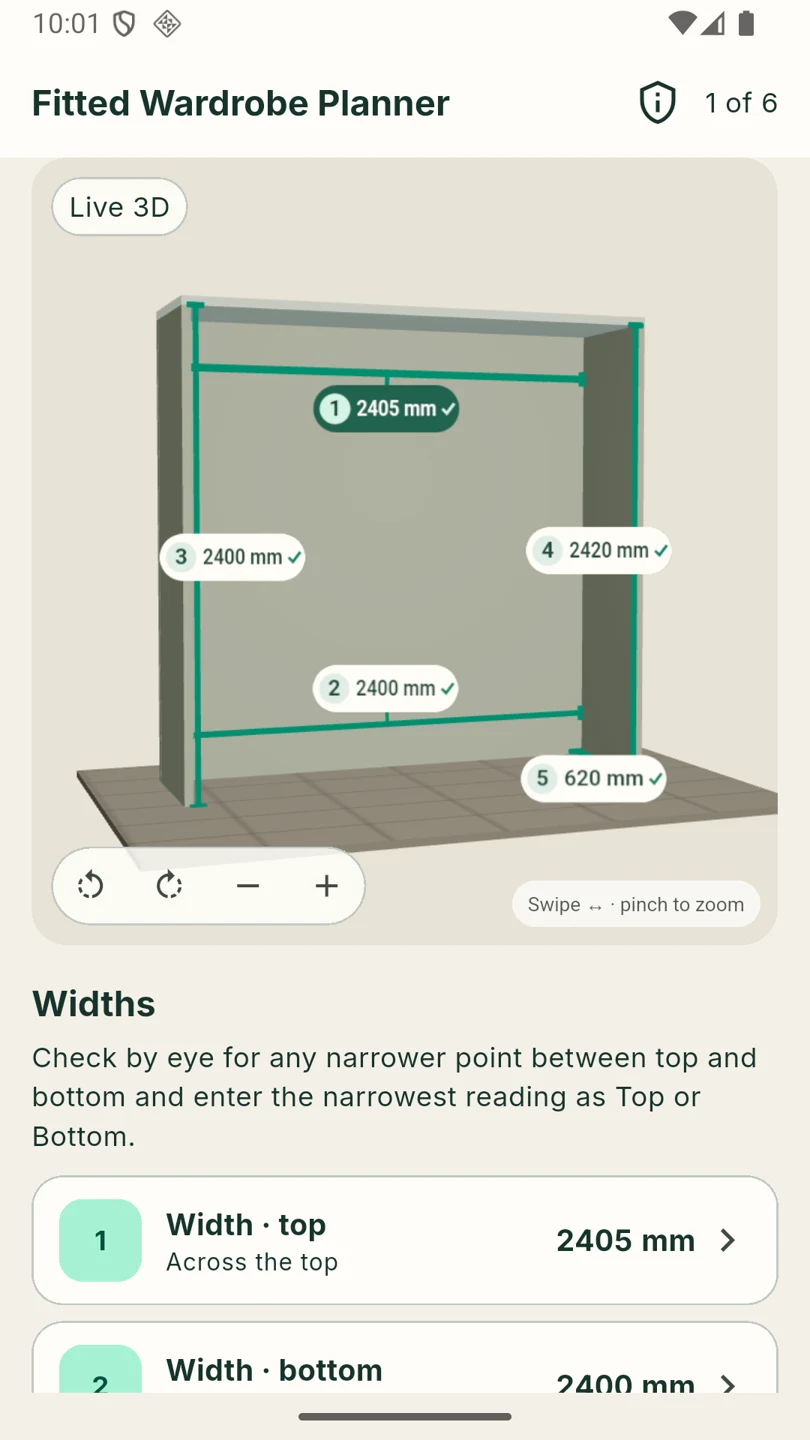
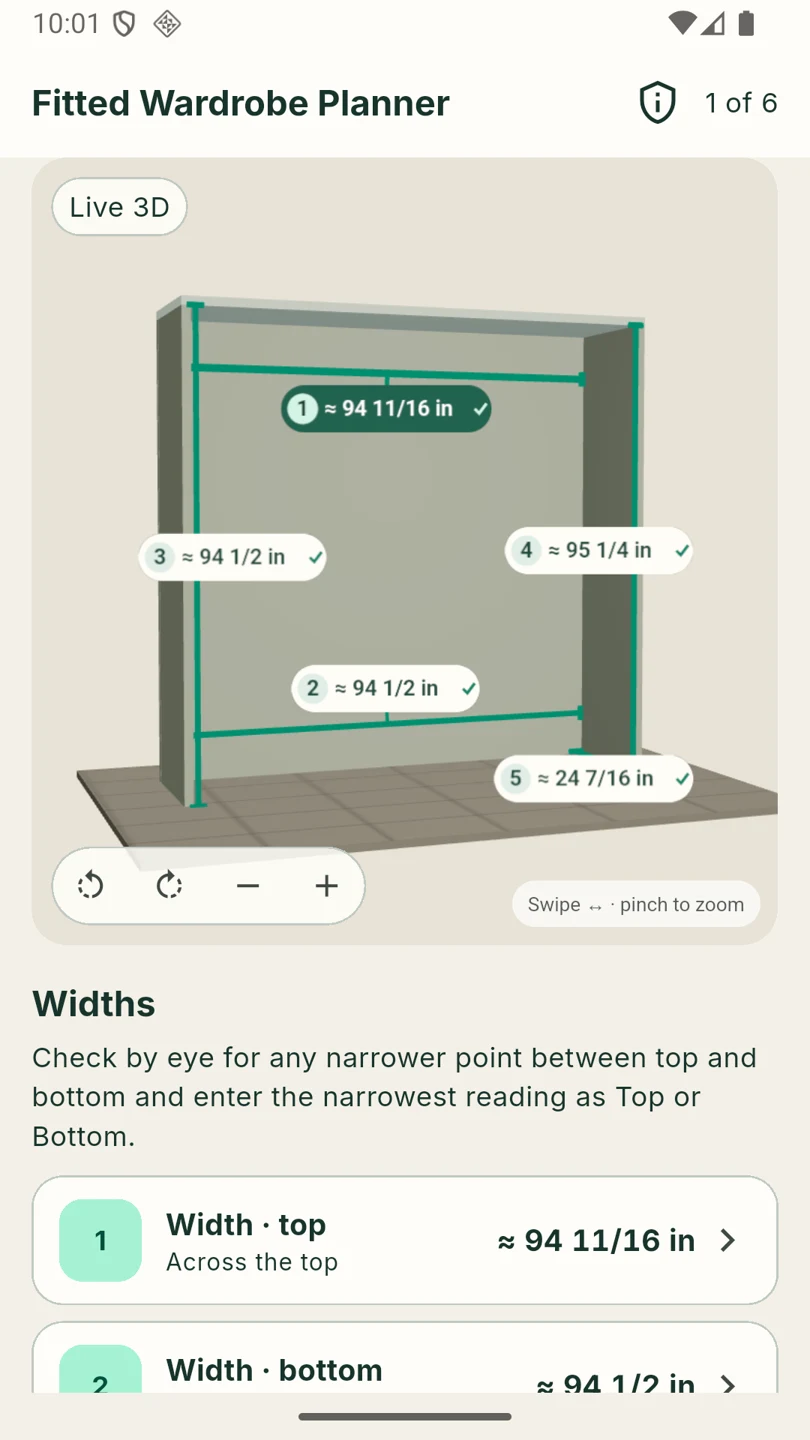
Enter top and bottom widths, left and right heights and usable depth. Use millimetres or US inches, including fractions. The design keeps the same dimensions when you switch units.
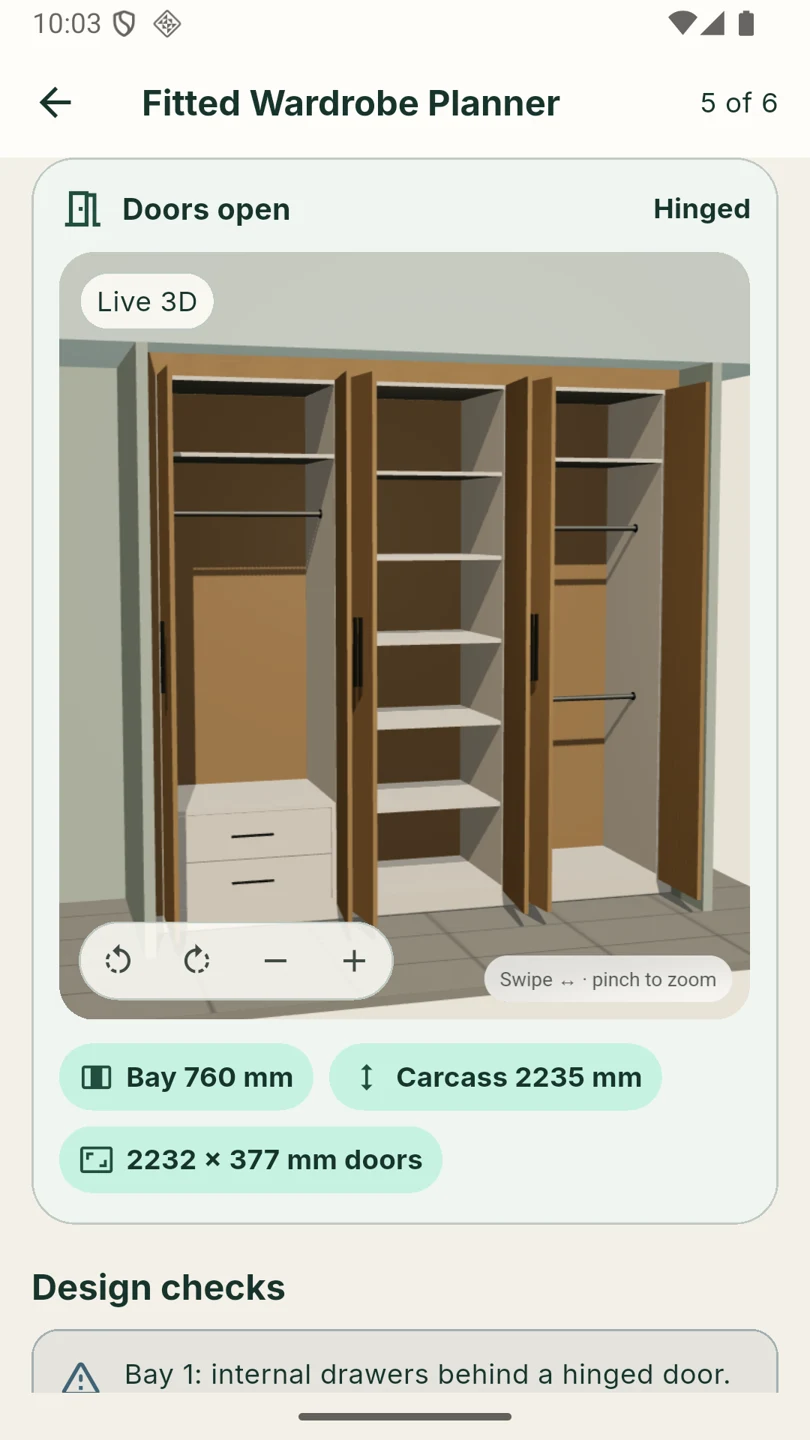
Choose 1–6 bays, hinged or sliding fronts, an independently sized levelling base and fitted side margins. Arrange hanging space, shelves and optional internal drawers.
02 / Materials & room
See what you choose.
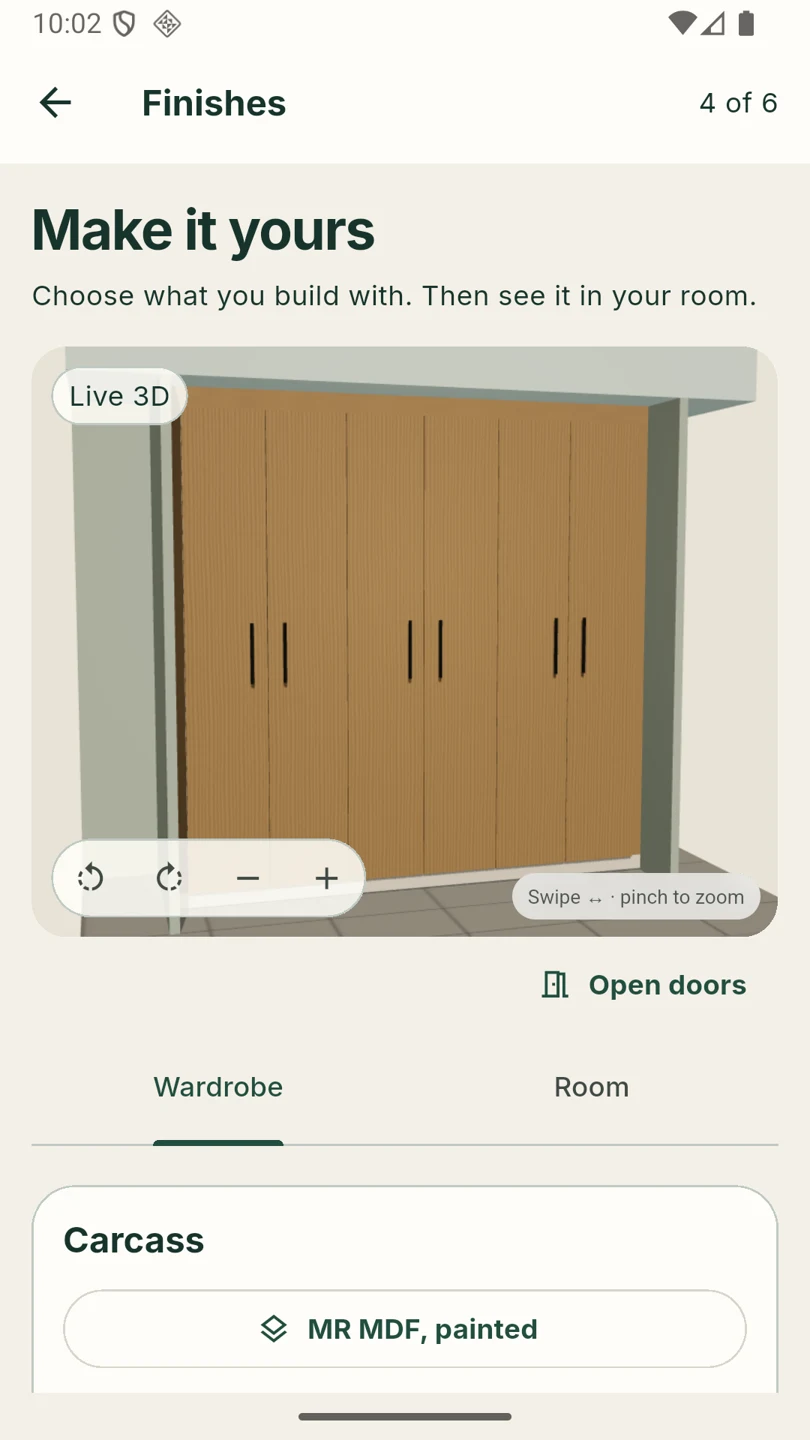
Choose from a bundled generic board catalogue for carcass, fronts and back. Material, thickness, finish, grain, edging and stock choices feed the preliminary schedules.
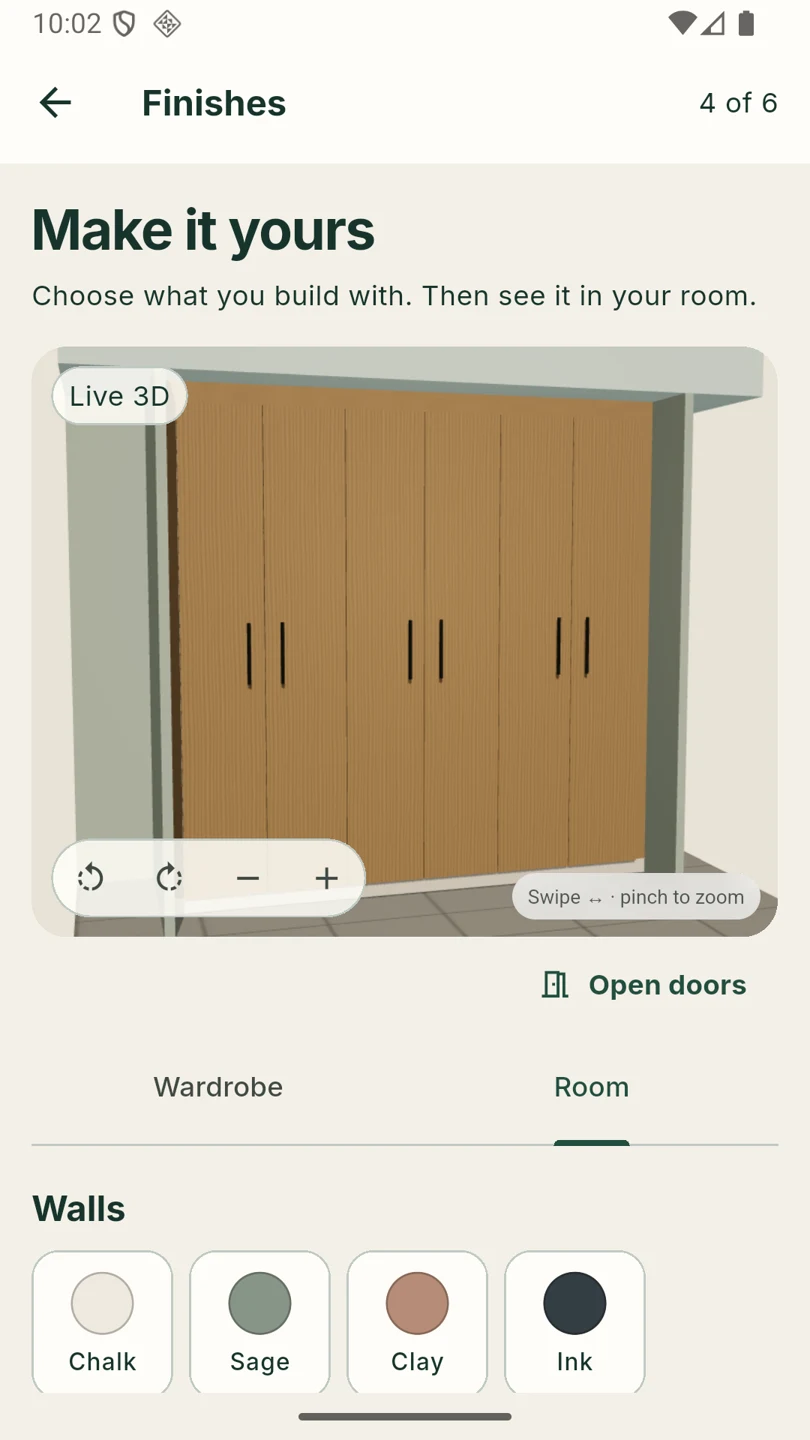
Rotate and zoom the live offline model. Try wall colours and floor styles to see your wardrobe in context. Room choices change the preview only.
03 / Review & share
A practical starting point
for the workshop.
Review parts, calculated sheet layouts and hardware. Export preliminary PDF and CSV schedules through your device’s share sheet. Cut output retains millimetres beside approximate inch references.
Blocking issues stop the cut list. Advisories still need your attention: hardware selection, wall fixing, clearances and site fitting require a professional check.
Read the planning limitations →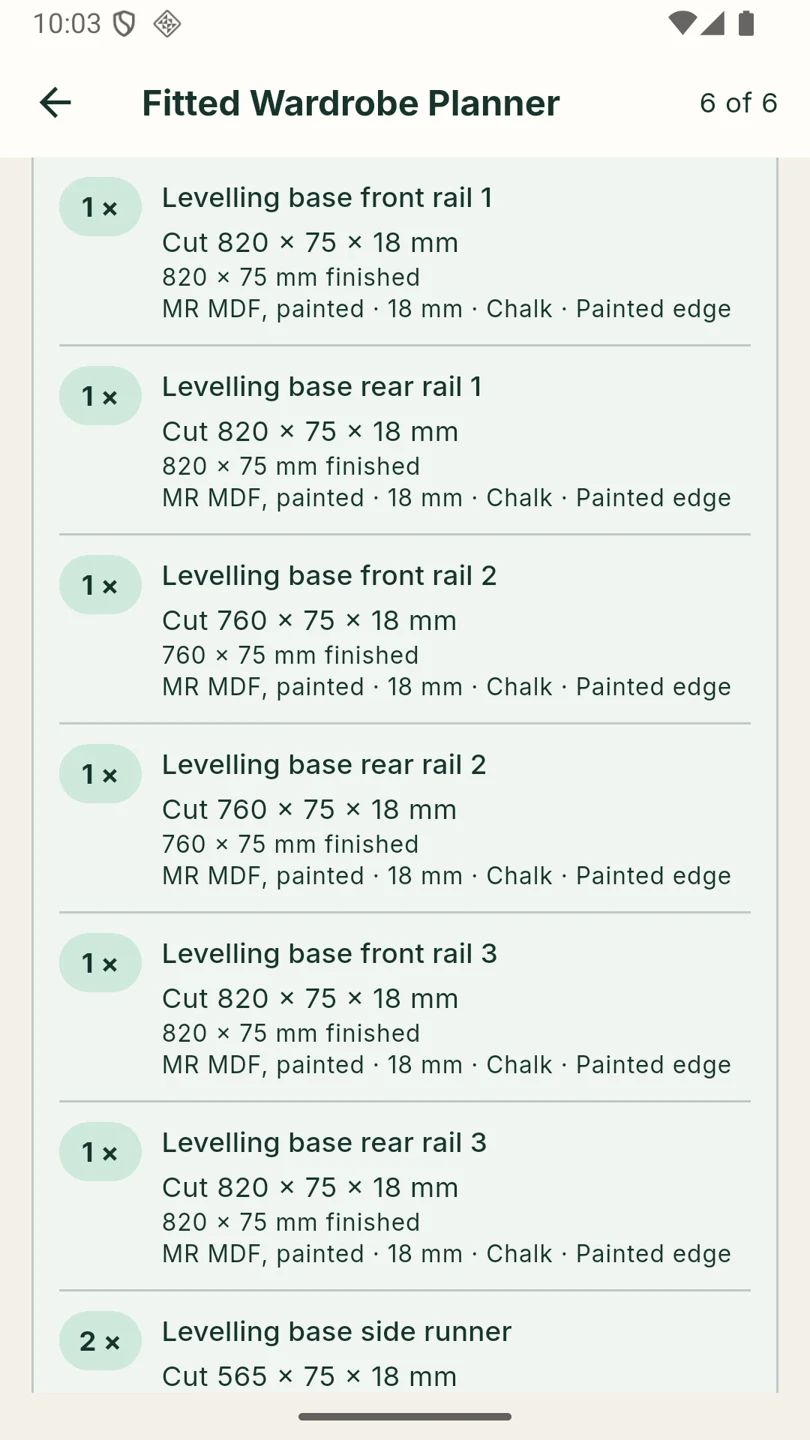
See the workflow
From alcove to cutting schedule.
Actual Android app screens, with English captions. No audio. Hosted here without a third-party video player.
Your project stays with you
Offline. No account. No subscription.
The app stores one project on your device. No advertising, analytics or in-app purchases. Bundled 3D assets work offline. You choose when and where to share exports; device backups follow your system settings.